How to Build a Sales Funnel in Systeme.io (Complete Step-by-Step Guide)
A well-constructed sales funnel is the backbone of any successful online business, guiding potential customers from awareness to purchase.
Building a high-converting funnel is easier than ever with Systeme.io, thanks to its intuitive interface and all-in-one platform.
This guide will walk you through each step of setting up a complete sales funnel in Systeme.io.
Step 1: Create a New Funnel
The first step is to create the foundation of your sales funnel.
1) Login to Systeme.io and go to the Dashboard.
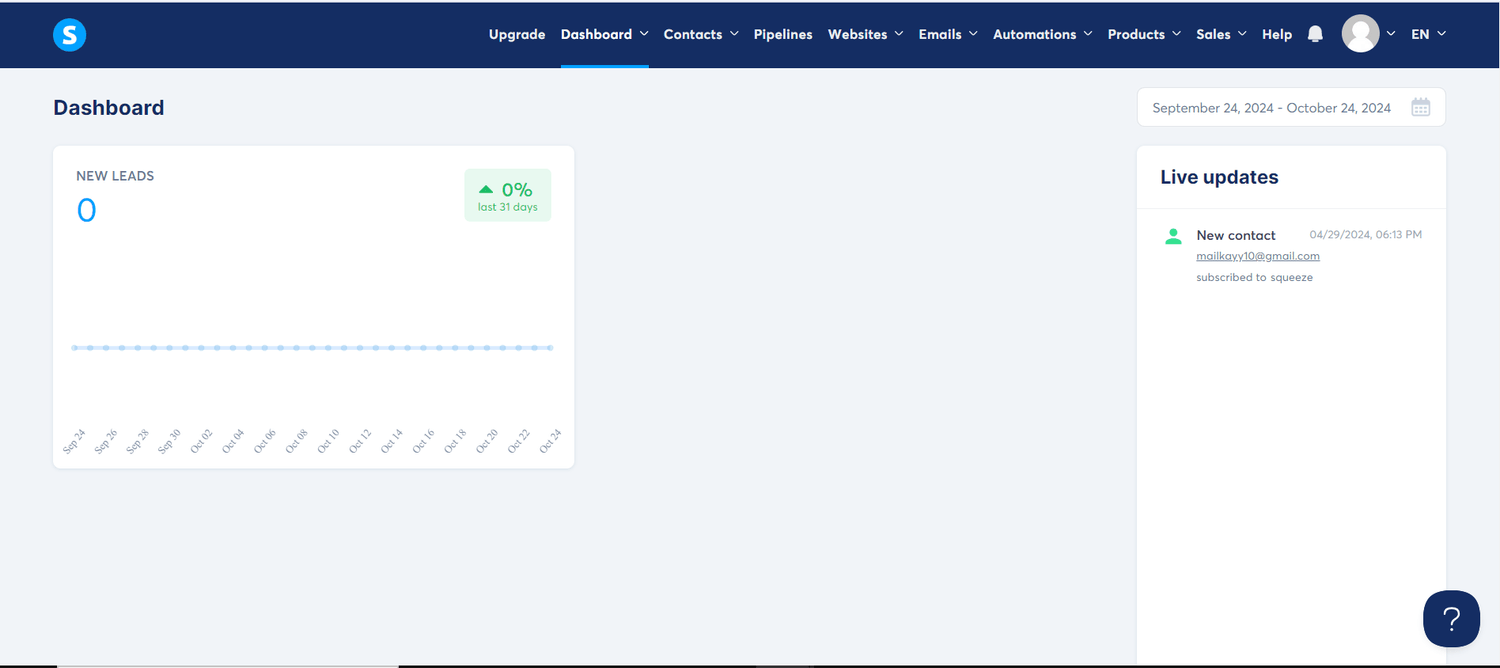
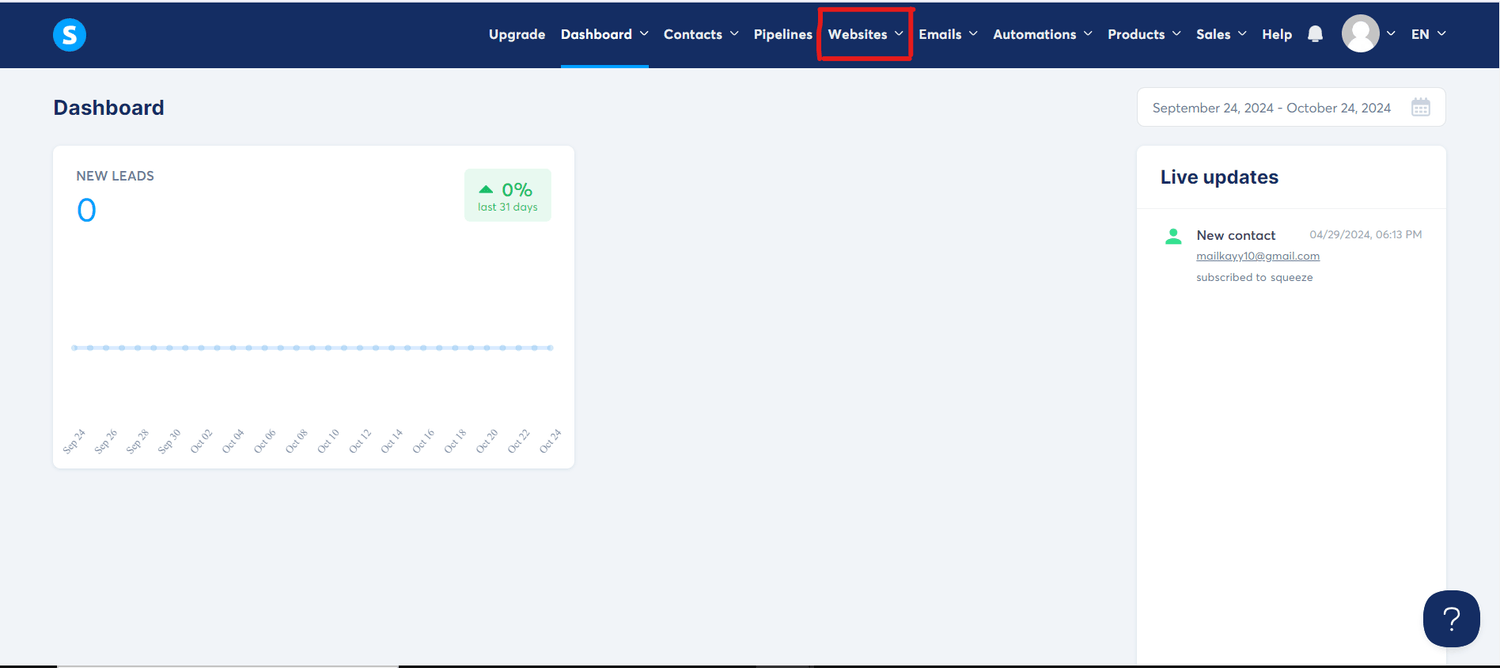
2) Click on Websites in the menu tab.
3) Click on Sales Funnel
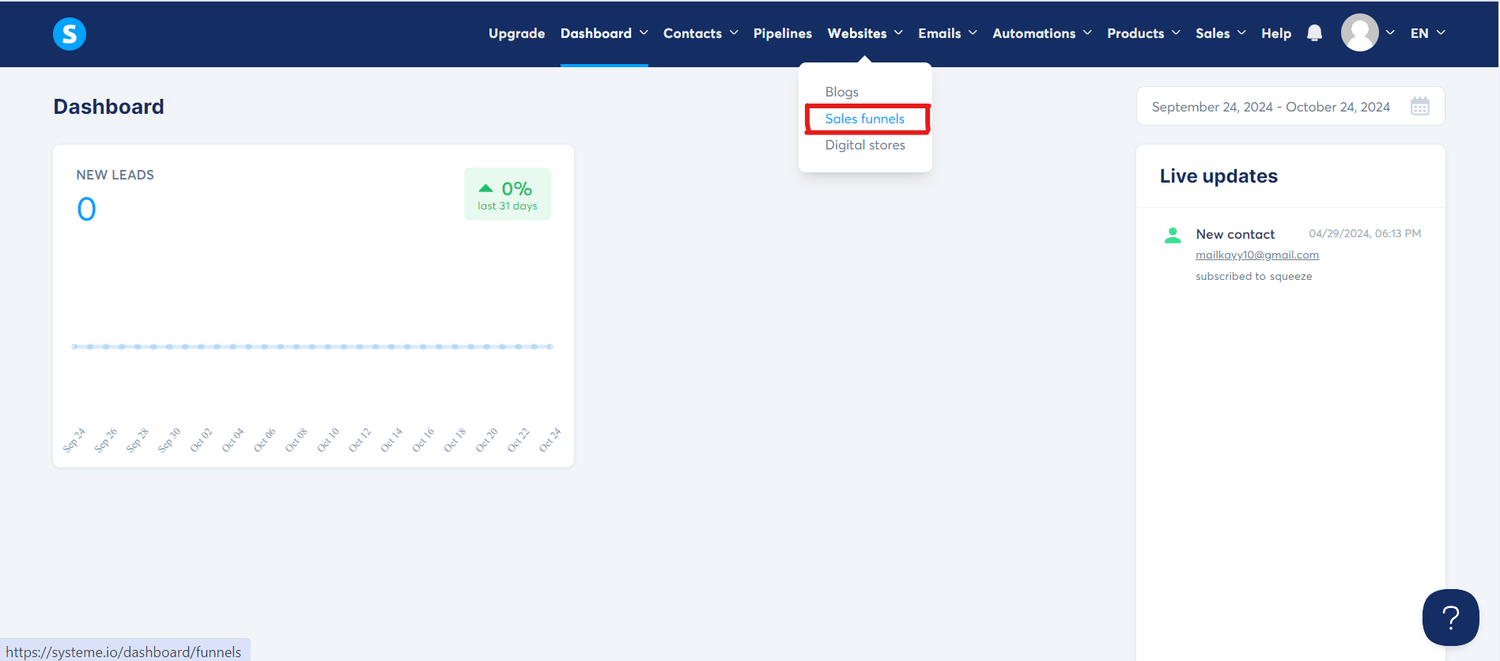
4) Click on Create to start a new funnel.
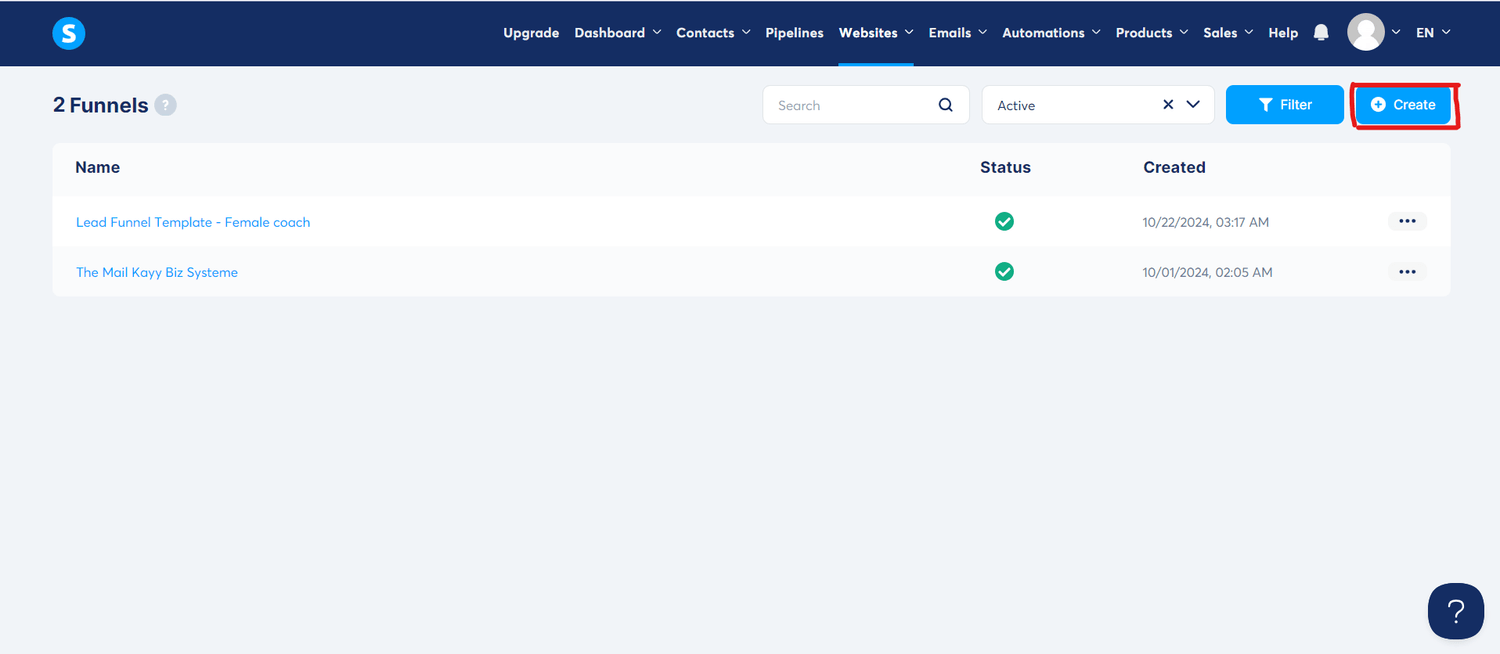
You’ll be prompted to choose a goal for your funnel. Based on your business needs, select your funnel type:
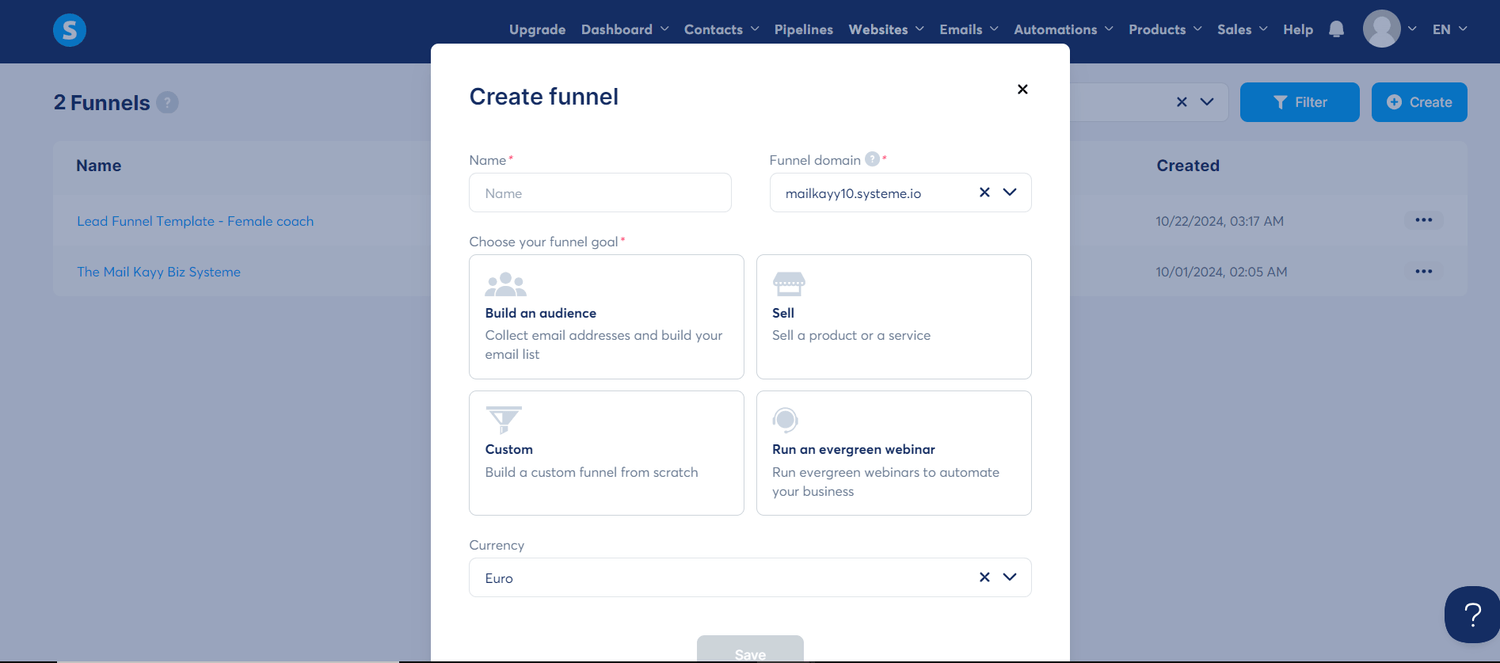
Build an Audience: For lead generation.
Sell a Product/Service: For selling products or services directly.
Custom: For more flexibility (build from scratch.
Run an Evergreen Webinar: To automate your business
Name your funnel and select your currency.
Step 2: Add Funnel Steps
Once your funnel is created, you must define the steps that will lead your audience through the sales process.
On the funnel dashboard, click on Add Step.
Choose a step type (e.g., Opt-in Page, Sales Page, Thank You Page, etc.).
If your goal is lead generation, start with an Opt-in Page.
If you're selling a product, create a Sales Page first.
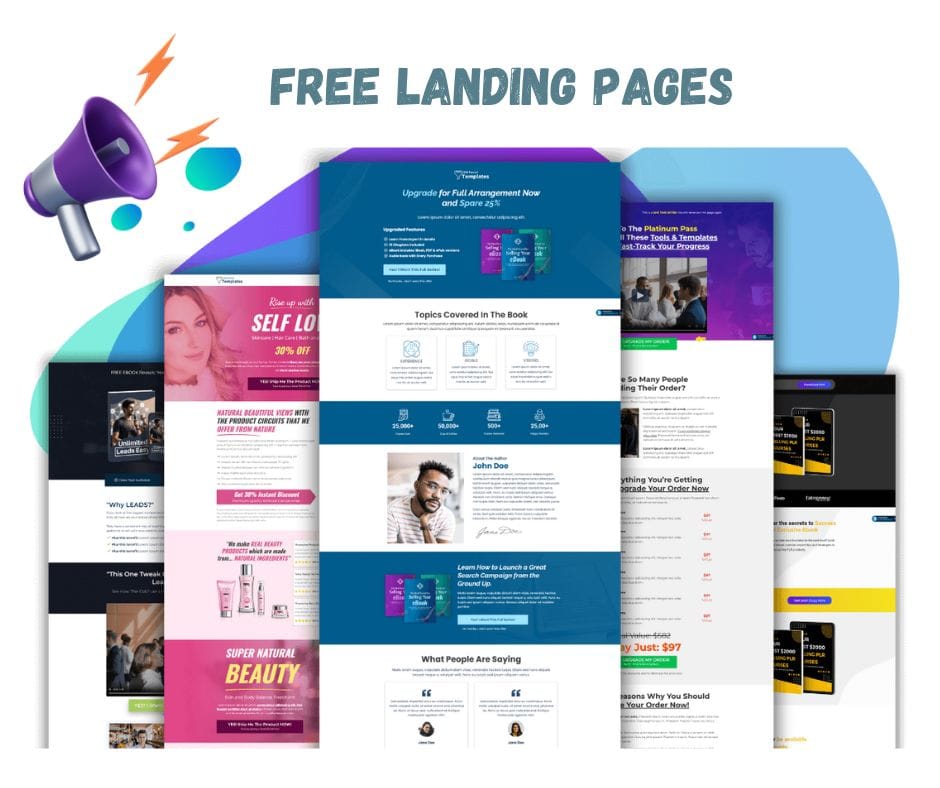
You can select from one of the ready-made templates or create one from scratch. Systeme.io offers a variety of customizable templates designed for different business goals.
You don't need to be tech-savvy to do this.
Step 3: Customize Your Pages
Once you’ve added the steps, it’s time to personalize them to reflect your brand and message.
1) Edit the Opt-in Page:
Click on the page name to open the editor.
Use the drag-and-drop builder to add elements like text, images, videos, and forms.
Add a lead magnet (free eBook, checklist, etc.) to entice users to provide their email addresses.
Customize the colors, fonts, and overall design to match your branding.
2) Edit the Sales Page:
Highlight the benefits of your product/service.
Add testimonials, videos, and images that help build trust.
Integrate a call-to-action button that directs users to the next step in the funnel.
3) Thank You Page:
After a user opts in or purchases, they should be directed to a Thank You Page.
Add a personalized message thanking them for their interest or purchase.
Include a bonus offer or cross-sell to keep engagement high.
Step 4: Set Up Your Email Sequence
1) Go to the Emails tab in the funnel editor.
2) Click on Add Email to create an automated email sequence for people who subscribe through your funnel.
3) Customize your emails to nurture leads or upsell products.
Start with a welcome email.
Follow up with emails that provide value, such as tips, case studies, or special offers.
4) Set triggers for your emails (e.g., send immediately after opt-in or after a delay).
Step 5: Integrate Payment Systems (for Sales Funnels)
If you're selling a product or service, you'll need to integrate a payment gateway.
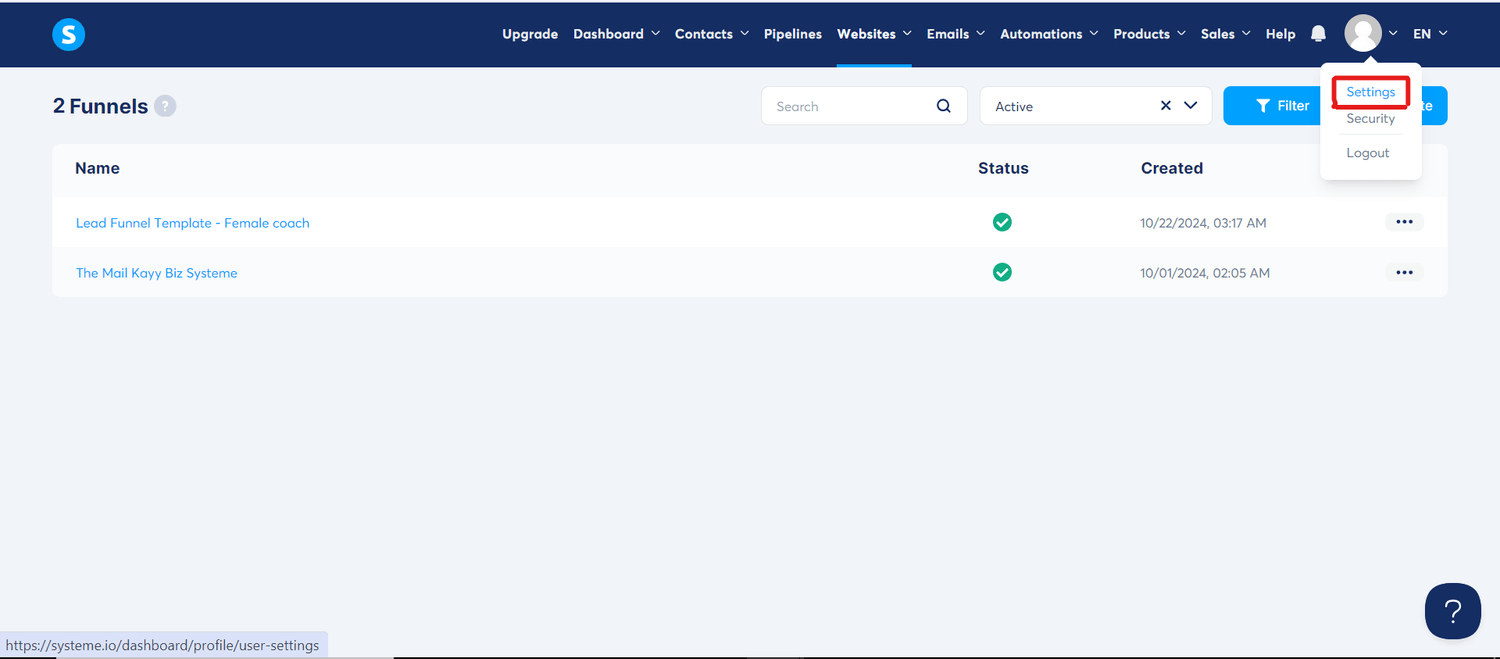
1) Go to the Sales Page in your funnel, and hover over to your Profile.
2) Click on Settings and select Payments.
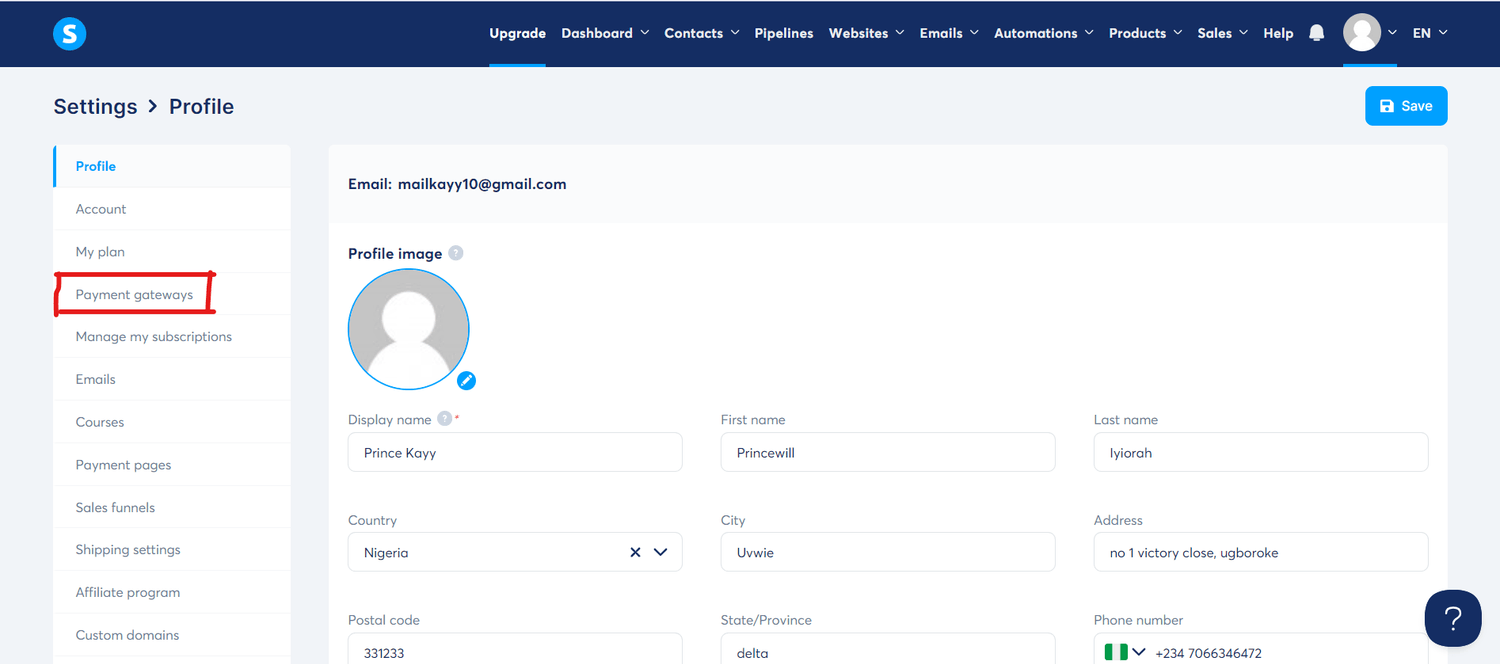
3) Systeme.io integrates with popular payment processors like Stripe and PayPal.
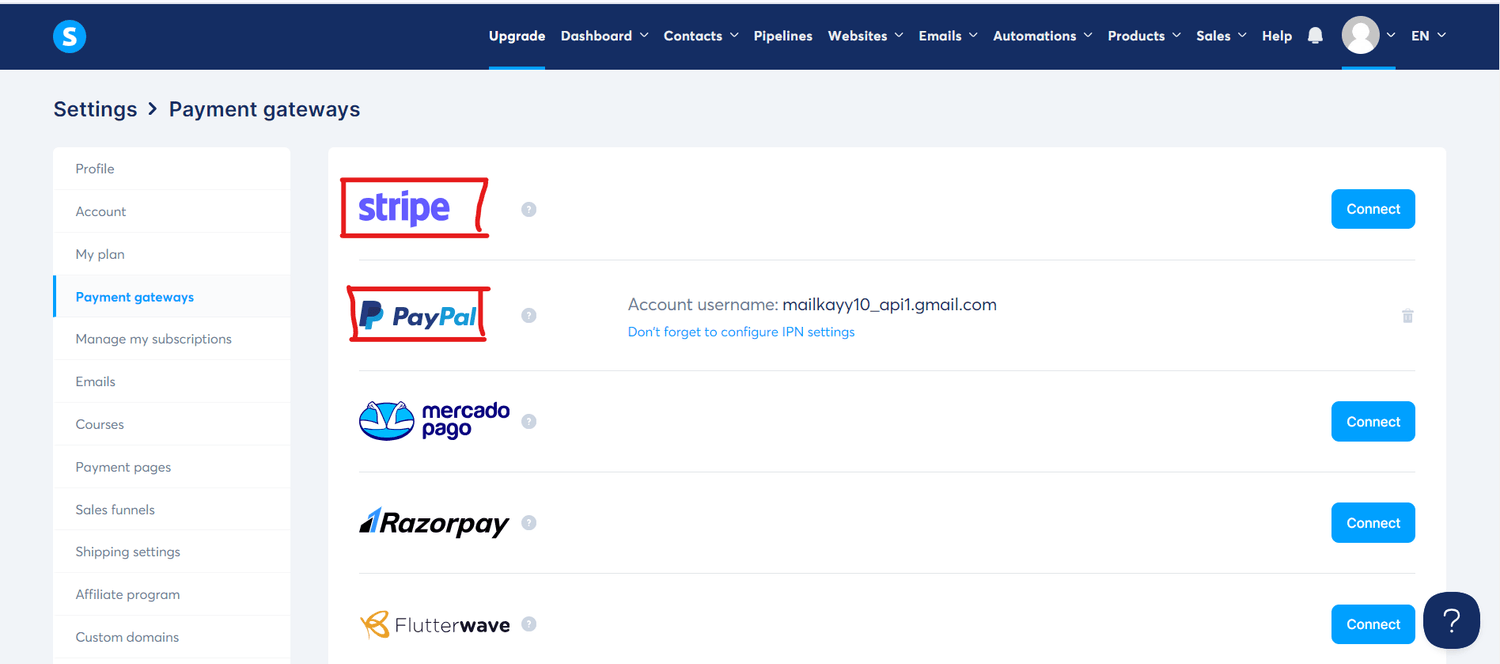
4) Configure the price int the order form, currency, and payment options.
Step 6: Test Your Funnel
Before you launch your funnel, it’s important to test each step to ensure everything is working smoothly.
1) Click on Preview for each funnel step to review how the pages look and function. 2) Go through the entire funnel as if you were a customer, testing the opt-in process, email sequences, and payment gateways.
3) Double-check that all links, buttons, and integrations are working correctly.
Step 7: Launch and Monitor Your Funnel
Once you’ve tested everything, it’s time to launch your funnel!
1) Go Live by promoting your funnel through your website, social media, or paid ads.
2) Monitor your funnel’s performance by going to the Dashboard and reviewing metrics such as conversion rates, email open rates, and sales.
Bonus Tips for Funnel Success:
Optimize Your Pages: A/B test different headlines, layouts, and call-to-action to find what resonates best with your audience.
Use Upsells and Downsells: Maximize your revenue by offering upsells (higher-priced products) and downsells (lower-priced alternatives) on your sales page.
Retarget Abandoned Leads: If someone doesn’t complete a purchase, use email sequences or retargeting ads to bring them back.
Conclusion
Building a complete sales funnel in Systeme.io is a straightforward process, but it can have a massive impact on your business.
Whether you're generating leads or selling products, this guide provides the framework for creating a powerful funnel that converts.
Start small, test often, and watch your online business grow!

Need A High-Converting Funnel?
LET US GIVE YOU FREE ADVICE FOR YOUR NEXT FUNNEL!
It's free advice... No obligation to purchase...
Our Service
Get a customized funnel
Funnel Design & Tech Support
Template Marketplace
Funnel Design Masterclass
Systeme.io Exclusive Bundles
White-Label Funnel Solutions
Resources
Learn With Us
Systeme Support Center
Free SIO Templates
Funnel Building Tools
Systeme.io Discounts
OUR SERVICES
Get a customized funnel
Funnel Design & Tech Support
Template Marketplace
Funnel Design Masterclass
Systeme.io Exclusive Bundles
White-Label Funnel Solutions
INFORMATION
RESOURCES
Learn With Us
Systeme Support Center
Free SIO Templates
Funnel Building Tools
Systeme.io Discounts
Copyright © All Rights Reserved 2024The Mail Kayy Funnel Systeme